Best n8n Hosting Providers in 2026 (Compared & Ranked)
Introduction: Why Your n8n Hosting Choice Matters
If you’ve landed here, you already know that n8n is one of the most powerful automation tools available. With over 400 built‑in integrations, native AI nodes, and a fair‑code license that puts you in control, it’s no wonder developers and businesses are moving away from per‑execution pricing models like Zapier or Make.
But once you’ve decided to use n8n, the next question is critical: where should you run it?
The answer isn’t as simple as picking the cheapest VPS or the most popular platform. Where you host n8n affects reliability, maintenance burden, scalability, and cost, which is why choosing managed n8n hosting can save you time and headaches.
- Reliability– Will your webhooks time out during traffic spikes?
- Maintenance burden– Who handles security updates, backups, and SSL renewals?
- Scalability– Can you handle 10, 100, or 10,000 executions per day?
- Cost– The “cheap” $4 VPS often ends up costing $150–250/month in hidden time.
After testing all major hosting options, we’ve created this definitive guide to help you choose the right n8n host for your specific situation.
How We Evaluated Each Provider
To ensure our recommendations are based on real‑world experience (not just marketing copy), we used a consistent evaluation framework:
- Ease of setup– How long from signup to a working n8n instance?
- Ongoing maintenance– Who handles OS patches, n8n updates, SSL, and backups?
- Performance– Does the platform support high concurrency? Are workers available?
- Cost transparency– Any hidden fees, overage charges, or surprise bills?
- Community & support– Is there good documentation? Real humans available?
- Flexibility– Can you install custom packages, use PostgreSQL, or configure environment variables?
We then interviewed users of each platform to capture their real experiences. The result is a ranking that reflects true user satisfaction—not just advertised features.
The Hosting Spectrum: Where Do You Fit?
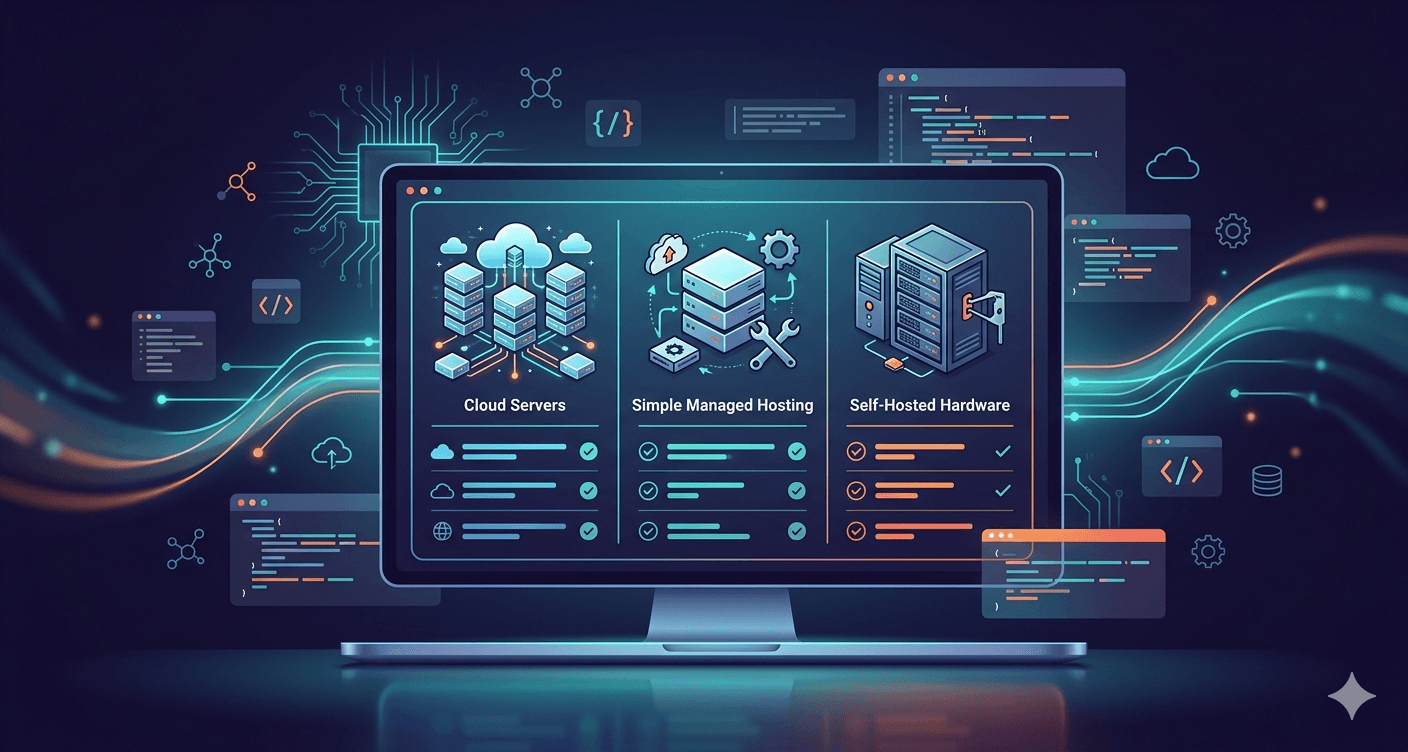
Before diving into individual providers, it helps to understand the four main categories of n8n hosting.
| Category | Examples | You Manage | Monthly Cost (approx) | Best For |
|---|---|---|---|---|
| Free / DIY VPS | Oracle Cloud free tier, Hetzner, DigitalOcean | Everything (OS, Docker, n8n, SSL, backups, updates, monitoring) | $0–12 | Developers who enjoy infrastructure work |
| PaaS (Platform as a Service) | Railway, Render, Google Cloud Run | n8n configuration only | $5–15 (usage‑based) | Developers who want control without managing servers |
| Specialized Managed | Agntable, PikaPods, InstaPods, Elestio | Nothing | $3–17 | Non‑technical users and teams who want zero maintenance |
| Official Cloud | n8n Cloud | Nothing | $22–730 | Teams needing official support and collaboration tools |
Your choice should align with your technical skills and time budget. A $4 VPS is never really $4 if you value your time at $50/hour.
The Best DIY VPS Options (Full Control)
1. Hetzner VPS + Docker Compose
Cost: Starting at €3.29/mo (~$3.55) for a CAX11 ARM instance (2 vCPU, 4 GB RAM, 40 GB storage).
Setup process:
- Sign up (may require ID verification– allow 24 hours).
- Deploy a Ubuntu 24.04 VPS.
- SSH in, harden the server, install Docker and Docker Compose.
- Create a
docker-compose.ymlwith n8n and a PostgreSQL database (recommended for production). - Set up a reverse proxy (Caddy or Nginx) for automatic SSL.
- Schedule daily backups to cloud storage.
Pros:
- Cheapest paid option with full control.
- No per‑execution fees– unlimited workflows.
- Can host multiple apps on the same server.
Cons:
- You’re the sysadmin– updates, security, and backups are 100% your responsibility.
- Initial setup takes 1– 2 hours (more if you’re learning).
- Ongoing maintenance: 1– 2 hours per month.
Bottom line: Ideal for developers who already know Linux and Docker and want the most bang for their buck.
2. DigitalOcean Droplet
Cost: Starting at $6/mo for basic droplet; recommended $12/mo for production.
Setup process:
- Use DigitalOcean’s n8n one‑click app (Docker‑based).
- After deployment, you still need to configure SSL, backups, and monitoring.
Pros:
- One‑click deployment from the marketplace.
- Excellent documentation and community.
- Reliable global infrastructure.
Cons:
- More expensive than Hetzner for similar specs.
- Not truly managed– you still handle SSL, updates, and backups.
Bottom line: Great if you want a guided experience but are willing to handle the remaining sysadmin tasks yourself.
3. Oracle Cloud Free Tier
Cost: $0 – includes 4 OCPU ARM cores, 24 GB RAM, up to 200 GB storage.
Setup process:
- Sign up (can be tricky– they may reject accounts).
- Provision an “always free” ARM instance (often out of capacity).
- Deploy n8n via Docker as you would on any other VPS.
Pros:
- Truly free.
- Powerful ARM instance.
Cons:
- Instances are often unavailable (“out of capacity”).
- Resources can be reclaimed without notice– not for production.
- Oracle’s console is complex.
Bottom line: Only use for learning or non‑critical personal projects where downtime is acceptable.
Best Managed Hosting Options (Zero Maintenance)
If you don’t want to be a sysadmin, these services take care of everything: SSL, updates, backups, and monitoring. With Agntable, you can deploy n8n in minutes and forget the rest.
4. Agntable
Cost: $9.99/mo (Starter: 1 vCPU, 4 GB RAM, 20 GB storage), $24.99/mo (Pro), $49.99/mo (Business).
Setup process:
- Select n8n from the AI agents catalogue.
- Choose a plan, click deploy.
- Live in 3 minutes with SSL, backups, and 24/7 monitoring.
What makes Agntable different:
- Dedicated resources– not shared like PikaPods.
- Auto‑scaling workers – n8n queue mode is built in.
- Managed PostgreSQL and Redis– out of the box.
- Built for AI tools– optimised for n8n, Langflow, Dify, etc.
- 7‑day Free Trial– try risk‑free.
Pros:
- True zero‑maintenance, but with dedicated performance.
- Unlimited executions– no per‑workflow fees.
- Custom domains, daily backups, and 24/7 monitoring included.
- Supports queue mode for horizontal scaling.
Cons:
- Newer platform (launched 2026), though already used by hundreds of businesses.
- Not as many add‑on integrations as n8n Cloud’s marketplace.
Bottom line: Agntable is the sweet spot for users who want the simplicity of managed hosting with the performance and unlimited scaling of self‑hosted. It’s particularly well‑suited for AI‑focused automations and teams that need production reliability without the ops burden.
5. PikaPods
Cost: ~$3.80/mo for default resources; adjustable.
Setup process:
- Choose “n8n” from the app list.
- Pick a region, set a subdomain.
- Wait 1 minute– your instance is live with HTTPS and automatic backups.
Pros:
- Zero maintenance– everything handled for you.
- Transparent pricing, no surprise overages.
- Revenue sharing with n8n supports the project.
- 5‑minute free trial.
Cons:
- Limited to what the platform provides– cannot install custom npm packages that require system libraries.
- Shared resources may slow down during peak load.
Bottom line: The best choice for non‑technical users who want a reliable n8n instance without ever touching a terminal.
6. InstaPods
Cost: $3/mo (launch plan: 0.5 vCPU, 512 MB RAM, 5 GB storage). $7/mo for heavier use.
Setup process:
- Enter a subdomain, click deploy.
- n8n is ready in ~30 seconds with SSL already configured.
Pros:
- Cheapest managed option at $3/mo.
- Instant deployment.
- SSL, updates, and backups included.
Cons:
- New platform (launched 2026)– smaller community and documentation.
- Only one region (EU– Nuremberg).
- The $3 plan is very light; you’ll likely need the $7-15 plan for real workloads.
Bottom line: Perfect if you want the absolute lowest cost and quickest setup, even if it means slightly less headroom.
7. Elestio
Cost: ~$17/mo minimum (Hetzner‑backed); higher for AWS, GCP, Azure, etc.
Setup process:
- Choose n8n and your preferred cloud provider.
- Elestio provisions a dedicated VM and handles all maintenance.
Pros:
- True zero‑maintenance.
- Choose from 8 cloud providers.
- Dedicated resources– no noisy neighbours.
Cons:
- Expensive compared to Agntable or PikaPods.
- One app = one VM– you can’t consolidate multiple apps on the same server.
Bottom line: Ideal for teams that want a dedicated environment on a specific cloud provider without the management overhead.
8. n8n Cloud
Cost: Starter €20/mo (~$22), Pro €50/mo (~$55), Business €667/mo (~$730).
Setup process:
- Sign up, choose a plan, start building.
Pros:
- Official support from the n8n team.
- Always up to date with the latest features.
- Built‑in collaboration (workspaces, shared credentials, etc.).
Cons:
- Most expensive option for any significant execution volume.
- Execution limits punish growth– at 50,000 executions/month, you’re paying $250–$500.
- No root access for custom modifications.
Bottom line: Best for teams that need official collaboration tools and have relatively low workflow volumes.
Best PaaS Options (Developer‑Friendly, No Server Management)
For developers who want to avoid raw servers but still want control over their n8n configuration, PaaS platforms offer a great middle ground.
9. Railway
Cost: Usage‑based – typical n8n setup costs $5–15/mo.
Setup process:
- Use a pre‑built n8n template or deploy via GitHub.
- Set environment variables, add a PostgreSQL plugin.
Pros:
- Easy deployment from GitHub.
- Auto‑scaling.
- Nice UI and logs.
Cons:
- Unpredictable costs– no built‑in budget alerts.
- Services can sleep on free/hobby plans, causing webhook delays.
Bottom line: Great for developers already using Railway, but keep an eye on usage.
10. Render
Cost: Free tier available; production plans start around $5–15/mo.
Setup process:
- Create a
Dockerfileor use a community template. - Set environment variables, deploy.
Pros:
- Free tier for testing.
- Zero‑downtime deployments.
- Good documentation.
Cons:
- You still manage environment variables and n8n configuration.
- Webhook reliability depends on the plan.
Bottom line: A solid choice for developers who want a Heroku‑like experience without managing servers.
11. Google Cloud Run
Cost: ~$2–12/mo for light-to-moderate usage (free tier covers a lot).
Setup process:
- Package n8n as a container.
- Deploy to Cloud Run.
- Add a Cloud SQL PostgreSQL instance for data persistence.
Pros:
- True serverless– scales to zero when idle.
- Pay only for actual usage.
- Deep integration with Google Workspace.
Cons:
- Cold starts can cause webhook delays.
- Requires Cloud SQL (adds cost).
- More complex initial setup.
Bottom line: Best for users already in the Google Cloud ecosystem who want a low‑cost serverless option.
How to Choose: A Simple Decision Matrix
| If you… | Then choose… |
|---|---|
| Love Linux and have spare time | Hetzner VPS + Docker |
| Want one‑click setup, but okay with some maintenance | DigitalOcean Droplet (marketplace) |
| Are non‑technical and want zero maintenance | PikaPods or InstaPods |
| Need dedicated resources with zero ops | Elestio or Agntable |
| Have a team and need official collaboration tools | n8n Cloud |
| Are a developer who dislikes servers but wants code control | Railway or Render |
| Want the best blend of performance, unlimited scaling, simplicity and zero maintenance | Agntable |
Why Agntable Ranks #1 for Most Users
After evaluating all options, Agntable consistently came out on top for the majority of use cases. Here’s why:
- No infrastructure management – Agntable handles SSL, updates, backups, and monitoring, so you never touch a terminal.
- Unlimited executions – Unlike n8n Cloud, there are no per‑workflow fees. Pay one flat price regardless of how many automations you run.
- Production‑ready out of the box – Includes PostgreSQL, Redis, and automatic workers for queue mode (Pro and Business plans).
- Dedicated resources – Not shared; you get guaranteed CPU and RAM.
- AI‑focused – Optimised for n8n’s AI capabilities and compatible with other agents like Langflow and Dify.
- 7‑day Free Trial – Try it risk‑free.
Users who switched from other platforms consistently report the same thing: “I got my time back.”
Frequently Asked Questions
Q: How much RAM does n8n actually need?
For light use, 1–2 GB works. For production with multiple concurrent workflows, 4 GB is recommended. Agntable’s Starter plan gives you 4 GB; Pro gives 8 GB.
Q: Can I host n8n for free?
Oracle’s free tier can run n8n, but availability is unreliable, and instances can be reclaimed without warning. It’s fine for testing, but not for production.
Q: What’s the cheapest way to get managed n8n?
InstaPods at $3/mo and PikaPods at ~$3.80/mo are the lowest cost. But they use shared resources, which may affect performance under load.
Q: Do I need a domain name?
For production, yes. You’ll need a domain to set up SSL certificates and reliable webhooks. Managed hosts provide a subdomain for you (e.g., yourname.agntable.com).
Q: What’s the highest hidden cost of self‑hosting?
Your time. A $4 VPS can easily cost $150–250/month in maintenance hours once you factor in security updates, backup verification, and incident response.
Q: Which host is best for scaling to thousands of executions per day?
Agntable and n8n Cloud (higher tiers) both handle high volumes. Agntable n8n queue mode auto‑scales workers based on load, giving you horizontal scaling without manual intervention.
Conclusion: The Right Hosting Is the One You Never Think About
After testing and interviewing users across all the options, one truth stands out: the best host is the one that lets you focus on building workflows, not managing infrastructure.
If you’re technical and enjoy sysadmin work, a Hetzner VPS is unbeatable for raw value. If you want zero maintenance at the lowest cost, PikaPods or InstaPods are good. If you need official collaboration tools, n8n Cloud fits. For a deeper look at the trade‑offs, check out our n8n VPS vs managed hosting guide.
But for most users—whether you’re a solo founder, a small business owner, or a developer who wants to reclaim your weekends—Agntable offers the best balance of simplicity, performance, cost and maintenance.
With dedicated resources, unlimited executions, and a 3‑minute setup, it’s the closest you can get to a “set and forget” n8n installation. And because it’s built specifically for AI automation tools, you’re not just getting n8n – you’re getting a platform that’s ready for the future of AI workflows.
👉 Try Agntable risk‑free – deploy n8n in minutes with a 7‑day Free Trial. No servers, no DevOps, no surprise bills.