OpenClaw: What It Is and How to Deploy It Without a Server
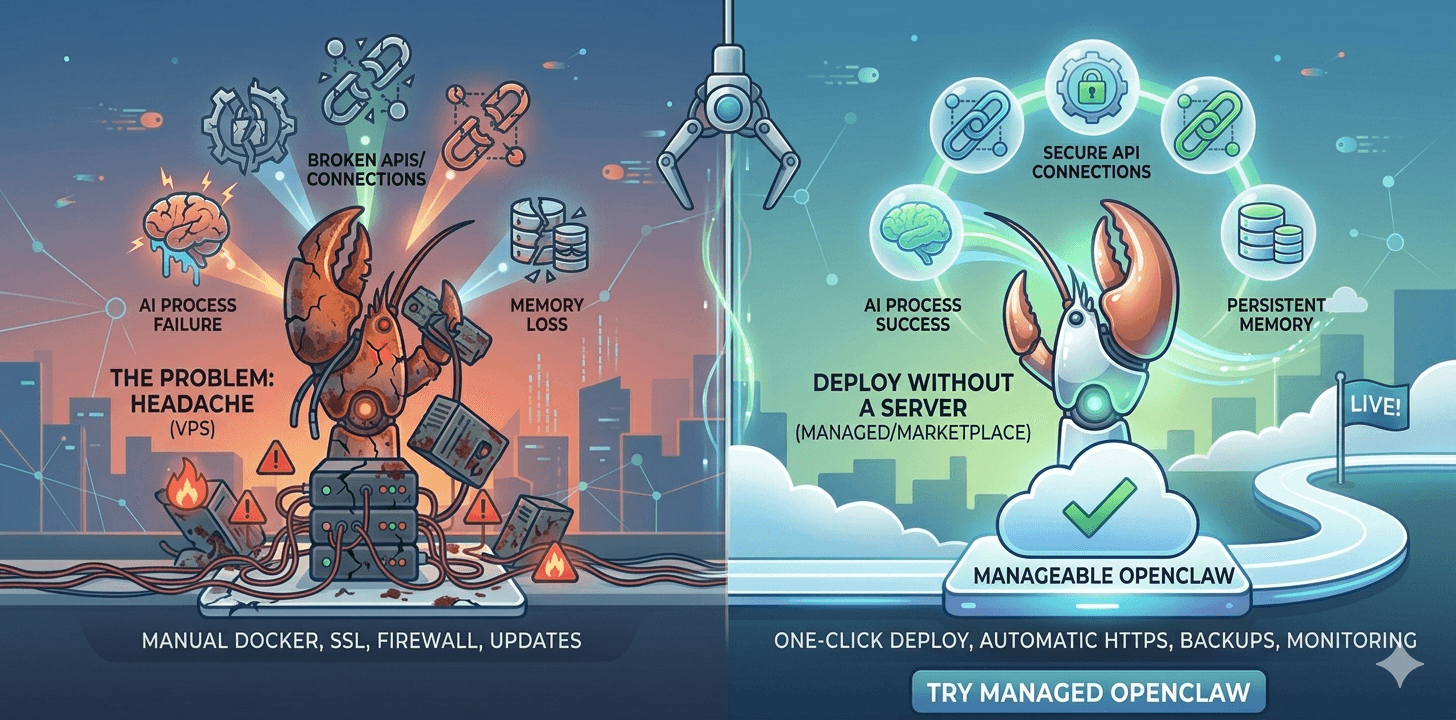
Key Takeaways
- OpenClaw (formerly Clawdbot/Moltbot) – an open‑source, self‑hosted AI assistant that connects to messaging platforms like WhatsApp, Telegram, Slack, and Discord.
- Unlike ChatGPT – OpenClaw runs on your own infrastructure and can actively send messages—reminding you of meetings, monitoring stock prices, or managing servers.
- Traditional deployment – requires a VPS with manual setup: Docker, Node.js, SSL certificates, firewall configuration, and ongoing maintenance.
- Popular VPS options – DigitalOcean, Hostinger, Vultr, and Hetzner all require similar manual effort—the provider choice doesn’t remove the ops work.
- Server‑less alternatives – cloud marketplaces (AWS Lightsail, Alibaba Cloud) offer one‑click OpenClaw deployments with built‑in HTTPS and backups.
- For complete zero‑ops – Agntable provides managed OpenClaw hosting with dedicated resources, automatic updates, and 24/7 monitoring—deploy in 3 minutes.
What Is OpenClaw? Understanding the Self‑Hosted AI Assistant
OpenClaw (formerly known as Clawdbot and Moltbot) is an open‑source personal AI assistant that you run on your own infrastructure. Unlike web‑based assistants like ChatGPT or Claude, OpenClaw connects directly to the messaging platforms you already use every day.
How OpenClaw Works
OpenClaw acts as a central “AI gateway” that sits between your messaging apps and the underlying AI models. When you send a message on WhatsApp, Telegram, Slack, or Discord, OpenClaw receives it, processes it through your chosen AI model (like Anthropic’s Claude, OpenAI’s GPT, or local models via Ollama), and returns the response—all without leaving your preferred chat app.
Supported messaging platforms include:
- Telegram
- Discord
- Slack
- iMessage
- Signal
- Enterprise platforms like Feishu (Lark) and DingTalk
What Makes OpenClaw Different
The key distinction between OpenClaw and standard AI chatbots is proactive capability. Because OpenClaw runs continuously on your own server, it can:
- Send you reminders— meeting alerts, task deadlines, medication reminders
- Monitor external data— stock price alerts, weather changes, website uptime
- Execute commands on your server— run scripts, manage files, deploy applications
- Maintain persistent memory across conversations— it remembers context from weeks ago
Who OpenClaw Is For
OpenClaw is ideal for:
- Developers who want to integrate AI into their workflows without switching between browser tabs
- Teams needing a shared AI assistant accessible via company messaging channels
- Privacy‑conscious users who want their conversation data to stay on their own infrastructure
- Automation enthusiasts building proactive workflows triggered by real‑world events
If you just need occasional Q&A with an AI, a standard web chatbot may suffice. But if you want AI that meets you where you already work—and takes action without waiting for your prompt—OpenClaw is the solution.
The Traditional Path: Deploying OpenClaw on a VPS
Understanding what traditional deployment requires makes the value of serverless alternatives clear. Here’s what a standard OpenClaw setup involves—regardless of which VPS provider you choose.
Choosing a VPS Provider
In 2026, the most popular VPS providers for self‑hosting OpenClaw are:
| Provider | Starting Price | Specs (Entry) | Notes |
|---|---|---|---|
| DigitalOcean | $6/mo | 1 vCPU, 1GB RAM | Well‑documented, beginner‑friendly |
| Hostinger | $4.99/mo | 1 vCPU, 2GB RAM | Often cheapest; includes control panel |
| Vultr | $6/mo | 1 vCPU, 2GB RAM | Global data centres, hourly billing |
| Hetzner | €3.79/mo | 2 vCPU, 4GB RAM | Best price/performance, popular in the EU |
| AWS Lightsail | $5/mo | 1 vCPU, 1GB RAM | Simplified AWS experience |
All of these providers give you a blank Linux server. None of them pre-configures OpenClaw, SSL, or backups. You are responsible for everything from OS updates to Docker installation.
Prerequisites
According to official documentation, you’ll need:
- A cloud server (VPS) with Ubuntu 22.04/24.04, at least 2 vCPUs and 4GB RAM (though 2GB can work for light use)
- A domain name points to your server’s IP address
- Basic Linux command‑line familiarity
- Docker and Docker Compose are installed
- An API key from a supported model provider (OpenAI, Anthropic, etc.)
Step‑by‑Step Manual Deployment
1. Provision Your Server
Choose any VPS provider. For this example, we’ll use DigitalOcean, but the steps are nearly identical for Hostinger, Vultr, Hetzner, or Lightsail. Create a droplet with Ubuntu 24.04 LTS, with at least 2GB RAM.
2. Connect via SSH and Install Dependencies
ssh root@your_server_ip

# Update system
apt update && apt upgrade -y

# Install Node.js 22.x
curl -fsSL https://deb.nodesource.com/setup_22.x | sudo -E bash -
sudo apt install -y nodejs git

# Install Docker
curl -fsSL https://get.docker.com | sh
sudo usermod -aG docker $USER

# Log out and back in for group changes to take effect
3. Clone OpenClaw and Run Setup
mkdir ~/openclaw && cd ~/openclaw
git clone https://github.com/openclaw/openclaw.git .

./docker-setup.sh
This interactive wizard walks you through:
- Selecting your model provider (Anthropic, OpenAI, etc.) and entering your API key
- Choosing messaging channels (Slack, Discord, Telegram, etc.)
- Configuring channel tokens and allowlists
- Enabling optional skills (web search, image generation, etc.)
4. Configure SSL and HTTPS
By default, OpenClaw’s Web UI is only accessible locally. To access it securely from anywhere, you need to set up a reverse proxy with SSL. Using Caddy is the easiest:
# Install Caddy
apt install -y debian-keyring debian-archive-keyring apt-transport-https
curl -1sLf 'https://dl.cloudsmith.io/public/caddy/stable/gpg.key' | gpg --dearmor -o /usr/share/keyrings/caddy-stable-archive-keyring.gpg
curl -1sLf 'https://dl.cloudsmith.io/public/caddy/stable/debian.deb.txt' | tee /etc/apt/sources.list.d/caddy-stable.list
apt update && apt install caddy

# Create Caddyfile
cat > /etc/caddy/Caddyfile <<EOF
openclaw.yourdomain.com {
  reverse_proxy localhost:18789
}
EOF

# Reload Caddy
systemctl reload caddy
5. Start the Gateway
cd ~/openclaw

docker compose up -d openclaw-gateway
Total time so far: 1–3 hours for a developer; 4–8 hours for a beginner.
The Hidden Costs of DIY Deployment
Even after following these steps, you’re not done. Ongoing responsibilities include:
| Task | Frequency | Time Cost |
|---|---|---|
| Security patches | Weekly | 30–60 min |
| OpenClaw version updates | Monthly | 30–60 min |
| Backup verification | Monthly | 30 min |
| SSL renewal check | Quarterly | 15 min |
| Troubleshooting | As needed | 1–3 hours per incident |
| Model API key rotation | Quarterly | 15 min |
Total monthly maintenance: 8–24 hours minimum. At $50/hour, that’s $150–500/month in hidden time cost—far more than the $6–12 server bill.
The Server‑Less Alternative: One‑Click Cloud Deployments
In 2026, major cloud providers have recognised OpenClaw’s value and now offer pre‑configured, one‑click deployments. These solutions eliminate the need for manual server management while keeping your data under your control.
AWS Lightsail OpenClaw
Amazon Lightsail now offers OpenClaw as a pre‑configured application image. Every Lightsail OpenClaw instance comes with:
- Built‑in security controls with sandboxed agent sessions
- One‑click HTTPS access— no manual TLS configuration required
- Device pairing authentication— only your authorised devices can connect
- Automatic snapshots for continuous backup of your configuration
- Amazon Bedrock integration as the default model provider (swapable with other models)
- Pre‑configured connections to Slack, Telegram, WhatsApp, and Discord
To deploy, simply visit the Lightsail console, select “OpenClaw” from the application catalog, choose your instance size, and click “Create.” Your assistant will be live in minutes.
Alibaba Cloud OpenClaw
Alibaba Cloud offers a streamlined OpenClaw deployment through its lightweight application server product. The process is remarkably simple:
- Visit the OpenClaw deployment page in the Alibaba Cloud console
- Select your instance configuration— minimum 2 vCPUs and 4GB RAM
- Choose the OpenClaw image— pre‑installed with all dependencies
- Configure your API key— paste your Alibaba Cloud Bailian or other model provider key
- One‑click deploy— the system automatically configures HTTPS, firewall rules, and service startup
The entire process takes under 5 minutes and includes:
- Automatic port 18789 (Web UI) and 443 (HTTPS) configuration
- Pre‑integrated Bailian Coding Plan for cost‑effective model access
- Built‑in backup and snapshot capabilities
Why Cloud Marketplaces Are “Server‑Less”
These cloud marketplace solutions aren’t technically “server‑less” in the pure FaaS sense—they still run on virtual servers. However, they eliminate server management from your responsibilities:
| Responsibility | DIY VPS | AWS/Alibaba Marketplace |
|---|---|---|
| Server provisioning | Manual | One‑click |
| OS updates | You handle | Automatic |
| Docker installation | Manual | Pre‑installed |
| OpenClaw installation | Manual | Pre‑configured |
| SSL certificate | Manual setup | Automatic |
| Firewall rules | Manual configuration | Pre‑set |
| Backups | You script | Automatic snapshots |
| Monitoring | You set up | Built‑in |
| Time to deploy | 3‑8 hours | 5‑10 minutes |
The Fully Managed Alternative: Agntable for OpenClaw
If you want zero infrastructure responsibility—no server, no updates, no backups—Agntable offers a purpose‑built managed hosting solution for OpenClaw.
What Agntable Provides
Agntable deploys OpenClaw on dedicated, isolated infrastructure with:
- Automatic HTTPS— SSL certificates installed and renewed without your involvement
- Daily verified backups— we test restores, not just create backups
- 24/7 monitoring with auto‑recovery— if something fails, we fix it before you notice
- Automatic updates— OpenClaw versions update after testing; no manual intervention
- Flat monthly pricing— no per‑execution or usage‑based surprises
- Direct human support— from people who know OpenClaw and AI agents
Deploying OpenClaw on Agntable
Minute 1:
Visit Agntable, select OpenClaw from the agent catalogue, and choose your plan (Starter at $9.99, Pro at $24.99, or Business at $49.99). Name your instance.
Minute 2:
Click “Deploy.” Behind the scenes, we provision a dedicated environment with:
- Guaranteed CPU and RAM resources
- PostgreSQL for persistent conversation memory
- SSL certificates with automatic renewal
- Daily backup schedules
- 24/7 monitoring with auto‑recovery rules
- Firewall rules with sensible defaults
Minute 3:
You receive a live HTTPS URL—yourname.agntable.cloud. Log in to the OpenClaw dashboard and start connecting your messaging channels. No terminal. No Docker. No configuration files.
Comparison: DIY VPS vs Agntable
| Factor | DIY VPS (e.g., DigitalOcean, Hostinger) | Agntable |
|---|---|---|
| Setup time | 3–8 hours | 3 minutes |
| SSL configuration | Manual, error‑prone | Automatic |
| Backups | You script | Verified daily |
| Updates | Manual | Fully automatic |
| Monitoring | You set up | 24/7 with auto‑recovery |
| Support | Community forums | Direct AI‑agent experts |
| Pricing | $6–12/mo + your time | $9.99–49.99/mo flat |
| True monthly cost | $150–500+ (with time) | $9.99–49.99 |
Getting Started with OpenClaw Today
You don’t need to become a Linux sysadmin to run your own AI assistant. In 2026, multiple paths exist to deploy OpenClaw without managing servers:
- If you already use DigitalOcean, Hostinger, Vultr, or Hetzner, you can follow the traditional manual setup, but be prepared for the time investment and ongoing maintenance.
- If you want a faster DIY experience, AWS Lightsail or Alibaba Cloud offer one‑click OpenClaw deployments with built‑in HTTPS and automatic backups.
- If you want truly zero operations, Agntable provides fully managed OpenClaw hosting with dedicated resources, verified backups, and human support— all for a flat monthly price.
Model API Options
OpenClaw requires a model provider API key. Options include:
- Anthropic Claude— strong reasoning and tool use
- OpenAI GPT— broad capabilities and ecosystem
- Google Gemini— multimodal understanding
- Alibaba Bailian— cost‑effective with free trial options
- Local models via Ollama— completely offline, using models like Qwen 3.5
For most users, starting with a cloud model API is the simplest approach. Agntable instances can be configured to use any OpenAI‑compatible API endpoint.
Conclusion: Run OpenClaw Without the Ops Overhead
OpenClaw represents a significant evolution in how we interact with AI—moving from reactive web chatbots to proactive assistants that live where we already communicate. Its ability to maintain memory, execute server commands, and proactively send alerts makes it a true productivity multiplier.
But the traditional deployment path—a VPS with manual Docker, Node.js, SSL, and ongoing maintenance—has prevented many from experiencing these benefits. The hidden time cost of self‑management often outweighs the infrastructure savings.
That’s why cloud marketplaces and managed platforms like Agntable exist. They give you the same OpenClaw software, the same data privacy, the same proactive capabilities—without the 3 AM emergencies when a certificate expires, or a service stops responding.
Ready to try OpenClaw without becoming a sysadmin? Deploy OpenClaw on Agntable in 3 minutes. Your instance comes with HTTPS, backups, and monitoring—everything just works.